
A drop in Google rankings can feel sudden, especially when organic traffic and leads have depended on a page performing well. In most cases, Google has not “penalised” a website without reason. Rankings change because Google finds a more relevant, technically accessible, trustworthy, or useful result for a search query.
The fastest route to recovery is not randomly editing pages or adding more keywords. First, identify whether the decline affects a single page, a group of keywords, or your entire website. Then fix the highest-impact issue before expanding content or pursuing new opportunities.
Start by identifying what dropped
A lower position is different from disappearing from Google altogether. Before making changes, check Google Search Console to compare clicks, impressions, average positions, and indexed pages over the period before and after the decline.
- One page or keyword dropped: the page may no longer match search intent, competitors may have improved their content, or another page on your site may be competing with it.
- Several pages in one topic dropped: your topical coverage, internal linking, or content quality may no longer be strong enough compared with competing websites.
- Traffic dropped across the site: investigate technical changes, indexation issues, site migrations, performance problems, or broader changes in search demand.
- Pages are no longer visible at all: check whether Google can crawl and index them before focusing on content improvements.
Also compare performance by query, page, country, and device. A decline in impressions may indicate lower search demand, while stable impressions with fewer clicks can mean your search result snippet is less competitive or that the results page has changed. This data helps you analyse your keyword positions and identify where losses are most significant.
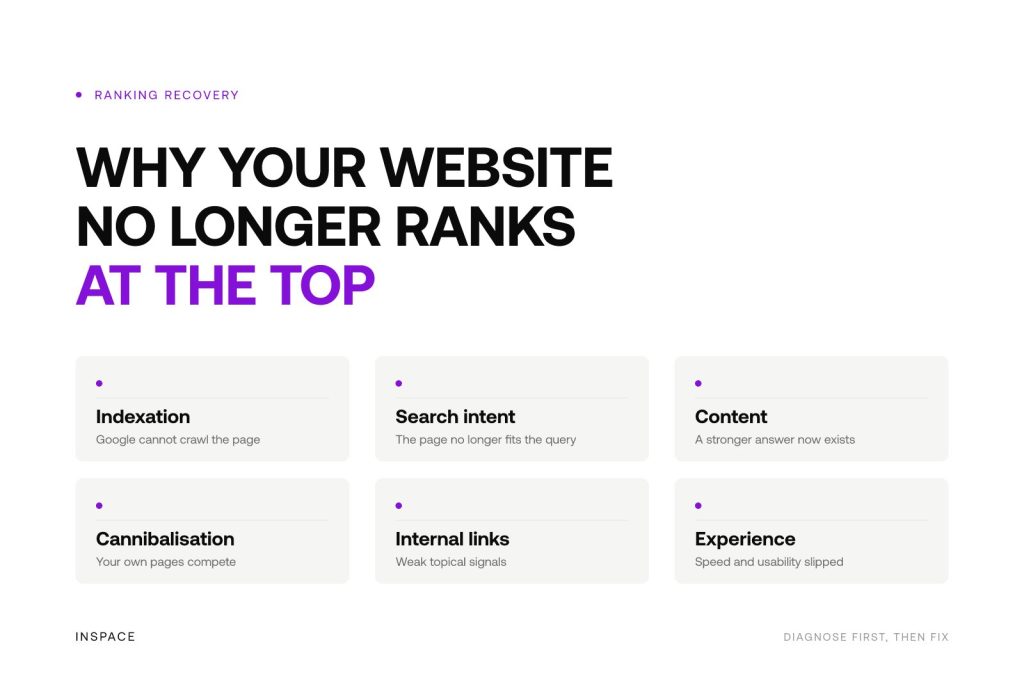
Common reasons a website loses its top position
Google can no longer crawl or index the right pages
Technical errors can prevent Google from accessing, understanding, or retaining pages in its index. This is particularly common after a website redesign, CMS update, domain migration, or changes made by multiple teams.
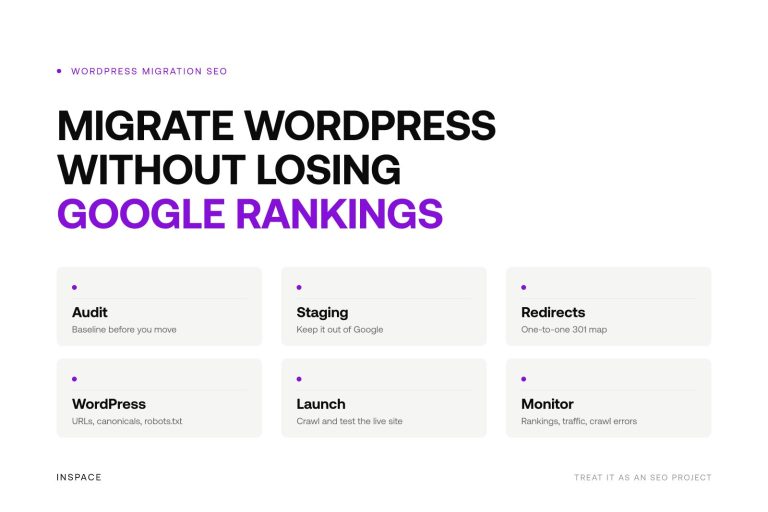
Check whether affected URLs return a working status, are not blocked by robots.txt, do not contain a noindex directive, and have the correct canonical URL. If old high-performing URLs were changed or removed, confirm that they redirect with a relevant 301 redirect to the most suitable replacement page.
A sitemap helps Google discover important URLs, but submitting one does not guarantee rankings. The page still needs to be crawlable, indexable, and valuable enough to appear for the query.
Your page no longer matches the search intent
Search intent is often the biggest reason for gradual ranking loss. Google continuously tests which results best satisfy what people want at that moment. If users search for comparisons, practical answers, local providers, or product information, a generic service page may no longer be the best fit.
Review the current top results for your main query. Look at the type of pages that rank, the questions they answer, how specific they are, and what information they provide early on. Do not copy competitors. Use the search results to understand what a useful answer now needs to include.
For example, a broad page targeting a high-volume term may lose visibility to a more focused page that directly answers a long-tail question. Strong SEO is not about using a keyword more often. It is about creating the best match between a search query, a page, and the visitor’s next step.
Your content is no longer the strongest available answer
Content can lose ground when it becomes outdated, too generic, repetitive, or less useful than newer alternatives. Google’s systems aim to surface helpful pages that demonstrate genuine expertise and address the subject with clarity.
Improve an underperforming page by prioritising accuracy, specificity, and usefulness. Update outdated facts, remove thin sections, add practical insight where it helps the reader, and make the page easier to scan. A stronger page does not always mean a longer page. It means the information is more complete for the query it is intended to answer. Consider running an SEO content audit to identify outdated, weak, or overlapping pages.
Be careful with scaled content that adds little original value. Automation can make SEO workflows more efficient, but quality control, a clear strategy, and expert oversight remain essential for content that deserves to rank.
Your own pages are competing with each other
Keyword cannibalisation happens when multiple pages target the same search intent. Google may then alternate between URLs, rank the weaker page, or reduce visibility because it cannot determine which page is the primary answer.
Look for pages that receive impressions for the same queries or cover nearly identical topics. Decide which URL should be the main page, then differentiate, consolidate, redirect, or internally link supporting pages where appropriate. The goal is a clear content structure, not several similar pages competing for the same position. See how to prevent keyword cannibalisation when reviewing overlapping content.
Internal links and topical signals are too weak
Internal links help Google understand which pages matter, how topics relate, and where your website has depth. A valuable page that is isolated from the rest of the site may be harder for Google to discover and evaluate in context.
Link relevant supporting articles, service pages, and location pages to the primary page using natural, descriptive anchor text. Build topic clusters around important commercial themes instead of publishing disconnected articles. This creates a clearer path for both visitors and search engines.
Technical performance or user experience has worsened
Slow loading times, unstable layouts, broken mobile elements, intrusive pop-ups, and difficult navigation can weaken the experience of visitors. These problems are not always the sole reason for a ranking decline, but they can compound other weaknesses and make it harder for a page to compete.
Focus on issues that affect real use: page speed, mobile usability, readable content, working forms and buttons, clean heading hierarchy, and accessible navigation. Fixing technical SEO should support a better website experience, not become a checklist detached from business goals. Use a roadmap to tackle technical SEO problems systematically.
What to do after a ranking drop
Prioritise recovery work in a logical order. Improving content on a page that Google cannot index will not solve the problem, while technical perfection alone will not make an irrelevant page rank.
- Confirm the decline in Google Search Console and identify the affected pages and queries.
- Check indexation, crawlability, redirects, canonical tags, and major site changes.
- Review the current search results to reassess intent and competitor expectations.
- Improve or consolidate the pages that matter most for qualified traffic and leads.
- Strengthen internal links and supporting content around priority topics.
- Monitor changes over time rather than judging performance after a few days.
Ranking recovery is rarely immediate. Google needs to recrawl, process, and reassess changes, and competitors may also be improving. Sustainable growth comes from continuous optimisation based on data, not one-off keyword edits.
Use a technical audit to find the highest-impact issues
When the cause is unclear, a technical audit can reveal issues that are difficult to spot manually. InSpace’s free Tech Scan reviews website health and performance, including metadata, indexation directives, heading structure, crawlability, and page-level performance signals.
For businesses that need ongoing support, InSpace combines technical optimisation with AI-driven strategy, topic clustering, content creation, publishing, tracking, and continuous optimisation through NOVA. The objective is not to promise a number-one position for every term, but to build stronger, scalable organic visibility around the searches that matter to your business.
Frequently asked questions
How can I check where my website ranks in Google?
Use Google Search Console to review average position, clicks, and impressions by page and query. Check performance over a meaningful date range and compare it with a previous period. Avoid relying only on manual searches, as results can vary by location, device, language, and search history.
Why can I not find my business on Google at all?
First check whether your website is indexed by searching for site:yourdomain.com in Google. If important pages do not appear, inspect them in Google Search Console for noindex directives, crawl blocks, canonicalisation issues, server errors, or other indexation problems.
Can a Google algorithm update cause a ranking drop?
Yes. Google regularly updates how it evaluates content, relevance, and user value. An update may expose underlying weaknesses or change which page types best satisfy a query. Focus on improving the website for users and search intent rather than looking for a quick workaround.
How long does it take to recover Google rankings?
It depends on the cause, the scale of the changes, crawl frequency, competition, and the authority of your site. Technical fixes can be recognised after Google recrawls affected URLs, while content and authority improvements often require a longer period of consistent work.
 We're always on comms.