
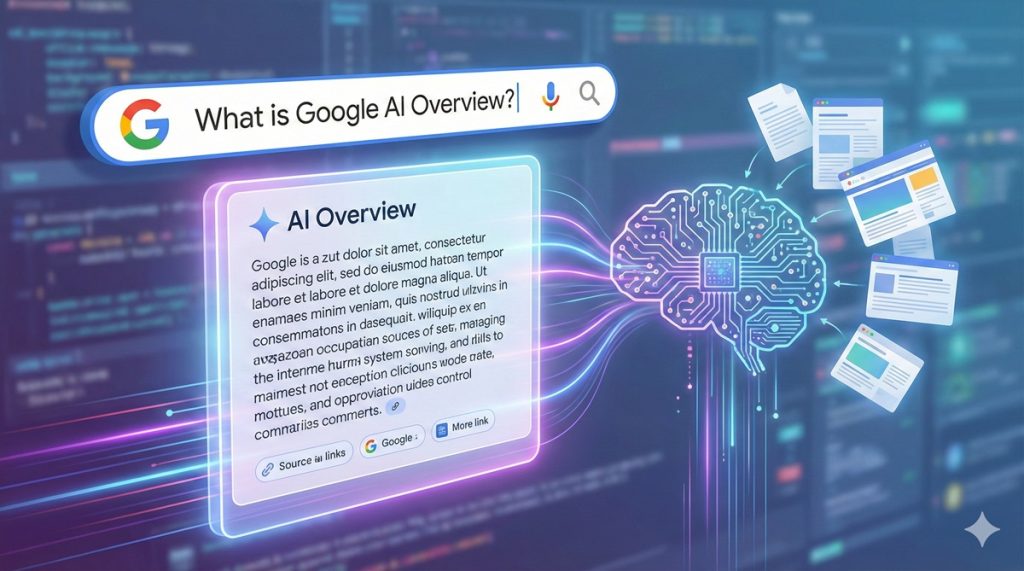
Google AI Overview gives you a synthesized snapshot of key information directly in Search, with links you can open to verify and go deeper. Here’s how it works, where it’s available, how to enable or limit it in your results, and what it means for your SEO strategy so you can keep winning visibility and clicks. If you’re new to AI-driven search, see What is AI SEO and how does it work?
How AI Overviews work and what you can ask
AI Overviews use generative AI to combine information from multiple high quality sources and present a concise answer at the top of the results page. You will typically see citations to source pages that the system used, so you can check context, compare perspectives, and continue researching. Because the answer is generated, it can connect multiple sub-questions, summarize steps, or help you plan. For optimization aimed at answer-led SERP features and AI summaries, consider Answer Engine Optimization (AEO).
What you can do with AI Overviews:
- Ask multi step questions in one go – for example, compare options, set constraints, or ask for pros and cons.
- Plan and brainstorm – meal ideas, trip outlines, checklists, or study plans that you can refine with follow up prompts.
- Use follow ups – continue the same topic without repeating details to deepen or narrow the result.
- Search with different inputs – type, use your voice, add a photo or screenshot, or use Circle to Search to ask about what’s on your screen.
As with any generative AI, responses can be incomplete or contain errors. Open the cited links to verify important details before you act.
Availability and how to check your status
AI Overviews are rolling out by country and language, and availability can differ by search surface. If you do not see an AI Overview for a query that seems eligible, it may be due to your region, language, or the query type. Use the steps below to check your status and the table to understand where it may appear.
| Search surface | Availability notes |
|---|---|
| Standard web results | AI Overviews appear on select queries when helpful, primarily in widely supported languages. Not every query triggers an AI Overview. |
| Images and visual search | You may see AI Overviews when you search with images or screenshots. Circle to Search can also trigger them on eligible devices. |
| AI Mode / Labs experiments | Some features are offered first in Search Labs. Availability varies and can change as experiments graduate or end. |
How to check your status:
- Sign in to your Google account and update the Google app or your browser.
- Set your language and region to a supported combination, often English in supported markets.
- If available, join Search Labs and enable AI related experiments.
- Try eligible queries that typically trigger AI Overviews, then look for the generated snapshot with citations.
- For the latest list of supported countries and languages, review Google’s official help documentation.
How to get it – or limit it
If AI Overviews are available in your market, you do not need to install anything. Simply search and, on eligible queries, the AI Overview appears automatically. To try new capabilities early, enable relevant experiments in Search Labs when offered to your account.
If you prefer classic link-only pages for a query, use the Web filter in Search to view text links without the AI Overview on that results view. You cannot globally disable AI Overviews from all search results, but you can opt out of Labs experiments and rely on the Web filter whenever you want a links-only experience.
Privacy, data use, and reliability
AI Overviews are powered by generative models that learn from a mix of signals and public web content. Google notes that interactions and feedback help improve the system and are handled with privacy safeguards. Even so, you should treat outputs as suggestions, not certified advice.
- Verify important facts by opening cited sources.
- Use the thumbs up or thumbs down control to provide feedback and refine future results.
- Avoid sharing sensitive personal information in prompts.
Generative systems can misinterpret context or omit caveats. When accuracy matters, check multiple cited sources or consult an expert page directly.
SEO implications and practical tips
There is no special “AI Overview SEO.” The same fundamentals that help you rank also help your content be cited and clicked from AI Overviews. For a practical framework, see our Generative Engine Optimization (GEO) guide. For broader context on the shift, read How is AI changing the future of SEO.
- Be indexable and fast – ensure crawlability, internal linking, and page speed are solid.
- Answer composite questions – structure pages to solve multi step intents with clear headings, steps, comparisons, and FAQs.
- Use structured data where applicable – help Search understand entities, products, how tos, and reviews you are allowed to display.
- Keep content fresh and trustworthy – update facts, add evidence, and cite primary sources.
- Control snippets if needed – use robots meta like nosnippet or max snippet if you want to limit excerpts. Review Google Extended if you manage AI training permissions.
- Measure impact – track impressions and clicks in Search Console and watch for query clusters that map to multi intent searches.
To align topics with real search intent and build content that AI can summarize confidently, learn How does AI support keyword research and search intent analysis.
Want to scale this approach? InSpace fuses AI and human expertise to accelerate results. From AI keyword clustering and semantic SEO to content automation and predictive insights, we help you ship more helpful content and capture more qualified traffic without paid ads.
FAQs
-
How do I get AI Overview on Google?
Use Google Search in a supported language and region. Update your app or browser, sign in, and enable Search Labs if offered. Then run eligible queries. You cannot force AI Overviews to appear on every search.
-
How do I turn off AI Overview on Google?
You cannot globally disable it. For a links only page, switch to the Web filter on the results screen. You can also opt out of Search Labs experiments and stick to classic results when you prefer.
-
How do I access Google’s AI?
You can access AI in Search via AI Overviews on eligible queries. For chat style assistance or tools, use the Gemini app or web experience. Some experimental features require joining Search Labs.
-
Which is better, Google AI or ChatGPT?
It depends on your task. AI Overviews excel at weaving live web results into a quick snapshot with citations inside Search. ChatGPT is strong for ideation and drafting. Many teams use both.
Ready to turn AI era search into growth? Partner with InSpace to operationalize AI-powered SEO services – strategy, content, and measurement that compound over time.