

Everything Shopify store owners get wrong with Translate & Adapt (and the one important thing they don’t)
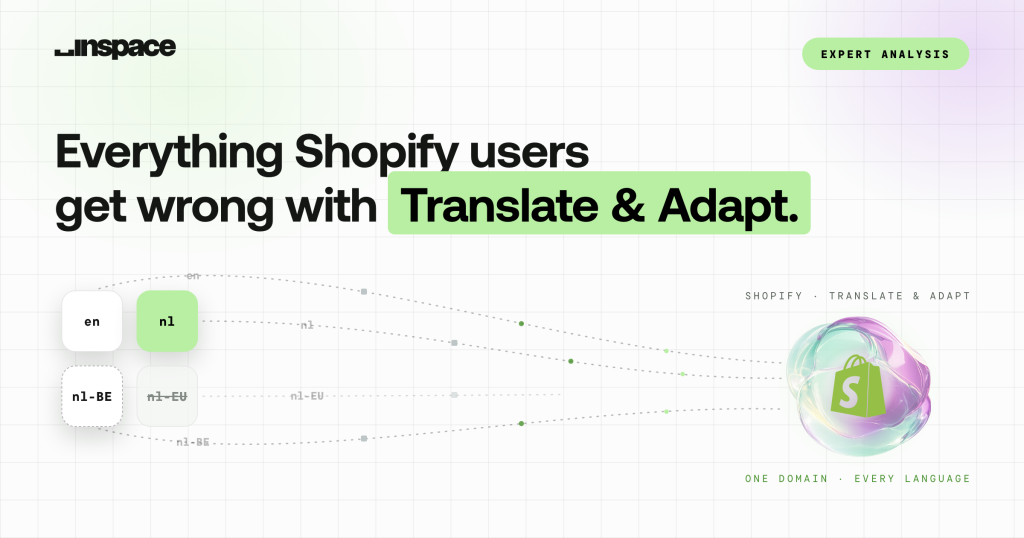
The app's real strength is one domain, many languages. Most broken multilingual stores don't fail because of the tool. They fail on the assumptions it quietly lets you keep.

- Translate & Adapt supports multilingual content on one domain, but configuration still needs review.
- Check translated handles, canonical consistency, complete language coverage and valid hreflang targets.
- Handles are translated per language; verify the actual URL and redirect behaviour in your store.
- Keep the app when its coverage and controls fit the store; adopt a broader workflow when specific gaps justify it.
Let’s start with the one thing Translate & Adapt genuinely gets right, because it’s the reason to use it at all. It serves multiple languages from a single domain. No fragmented .be, .nl and .de TLDs each fighting for their own authority, no duplicate stores to keep in sync. One domain, subfolders per market, all the link equity pooling in one place.
Shopify sets the rules, you play inside them
That is the correct architecture for the overwhelming majority of stores, and Shopify makes it the default. The catch is that Shopify also decides how that architecture behaves, and you only get to play inside those rules. Most of the problems I’m called in to fix start when someone assumes installing the app was the same as finishing the job.
The failures I actually see
Here’s what lands on my desk, ordered by how much damage it does.
| Priority | What’s broken | Why it happens | What it costs you |
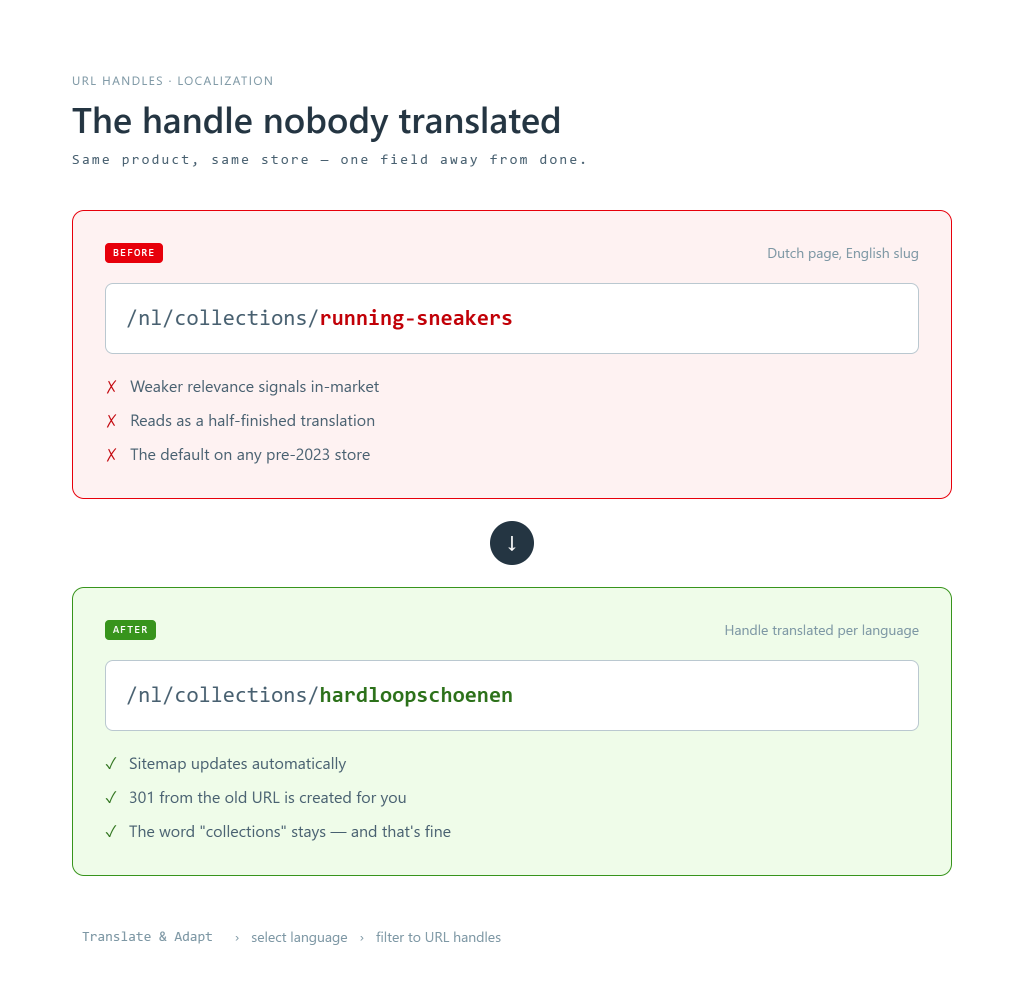
| 1 | URL handles left in the primary language | The app can translate handles now, but the feature is recent and the field is easy to miss. Older stores never had it, so the handles were never filled in. | Localised pages sit on /nl/collections/running-sneakers instead of a translated slug. Weaker relevance signals and a dead giveaway the translation is skin-deep. |
| 2 | Too many near-identical language variants live | “More languages must be better.” So NL, NL-BE and a phantom NL-EU all go live at once. | Cannibalisation between variants that say almost the same thing, plus an invalid region code doing nothing but diluting. |
| 3 | hreflang pointing at pages that don’t exist | Shopify auto-generates hreflang and sitemaps for published languages. People publish only some pages in the second language, so live pages carry hreflang references to translated URLs that were never published. | Google follows the reference, finds nothing, and loses confidence in your whole language-mapping. The tags meant to help end up as noise. |
| 4 | Canonical inconsistencies | Translated variants pointing canonicals back at the primary, or at each other, in ways nobody intended. | You tell Google the translated page isn’t the one to index. Then wonder why it doesn’t rank in that market. |
| 5 | Incomplete content coverage | Meta fields, theme strings, filters, tags and third-party app content left untranslated because the app can’t reach some of them. | A page that’s 80% Dutch and 20% English. Feels unfinished because it is. |
Notice the pattern. Only the last one is really about the app’s reach. The rest are configuration, and configuration is where the app gives you just enough rope.
Fixing the handles: it’s in there, but it wasn’t always
Here’s a thing people get wrong: they assume the app can’t translate URL handles at all. It can. But there’s a reason so many stores have English slugs sitting under Dutch content: handle translation only rolled out in early 2023, as a beta, and at first it only covered products, not pages, collections or blog posts. Before that, the handle stayed identical across every language whether you liked it or not. So if your store was set up before then, no amount of auto-translating ever touched those slugs, and they’re very likely still sitting there in your primary language waiting for someone to notice.
When you do translate a handle, the app behaves well. According to Shopify’s own documentation, the sitemap updates to include the translated URL handles, and redirects are created from the default-language URLs to the translated ones. That automatic 301 is a genuinely nice touch, because handle changes on an indexed page normally strand the old URL unless you remember to redirect it yourself.
The click path
Go check your own store:
- Apps > Translate & Adapt
- Select the language you’re translating
- Filter to URL handles (the search and filter controls let you isolate them, instead of scrolling every resource)
- Fill in the translated slug so /nl/collections/running-sneakers becomes /nl/collections/hardloopschoenen
- Save
For anything past a handful of pages, doing this by hand is a slog. The scalable route is the Translations CSV export under Settings > Languages, edit the handles there, reimport. Same result, minus the repetitive stress injury.
What it won’t do (and why one of those doesn’t matter)
One thing people flag as a limit that I don’t: the path segment itself can’t be translated. A handle like /en-ca/products/shoes becomes /es-mx/products/zapatos, but the word products stays products. Don’t lose sleep over it. Every Shopify store on earth runs /products/, /collections/, /pages/ and /blogs/news/, Google has indexed those patterns since forever, and no Dutch shopper has ever abandoned a sneaker purchase because the slug prefix was English. It’s a cosmetic quirk, not an SEO problem. The limit that does matter is the next one.
The one that matters is that handles are per language, not per market. You can’t customise a URL handle for a single market; the translation applies across every market where that language is visible. If your strategy needed market-specific paths, this isn’t your tool.
The language trap, specifically
Now the expensive mistake. Faced with a Dutch-speaking audience across the Netherlands, Belgium and the wider EU, the instinct is to create a variant for each: nl, nl-BE, nl-EU. It feels thorough. It’s actually three near-identical pages competing for the same queries, splitting signals and confusing Google about which one to rank.
Add a variant only when it earns its place with genuinely differentiated content, pricing or shipping. Otherwise you’re not covering more ground, you’re diluting the ground you already own.
| Variant | Differentiated? | Verdict |
|---|---|---|
| nl | Core market, full catalogue | Keep |
| nl-BE | Own pricing, shipping, BTW | Keep, if real |
| nl-EU | Duplicate of nl | Drop |
One good variant beats three anxious ones. Every time.
Where the app itself hits a ceiling
Strip away the self-inflicted wounds and there’s still a real limit worth naming, because this is the part people miss when they’re deciding whether to grow into the tool or out of it.
Translate & Adapt is a content-translation layer. It is not a full localisation and international-SEO layer. The language-not-market handle model, the content types it flat-out can’t reach (collection filters, tags, product images, Shopify Forms, and third-party app content that isn’t a Shopify translatable resource), and the hreflang and canonical behaviour you can’t fully steer all add up to the same conclusion. It handles the visible text well and leaves the plumbing to you. For one or two markets, you can manage that plumbing by hand. At five, ten, fifteen locales, hand-managing it is a second job, and this is where teams start looking at dedicated platforms like Weglot and similar tools built for that scale. Not because Shopify’s app is bad, but because it was never trying to be that.
The caveat that matters most
Shopify actively updates this app, and has signalled that fuller URL localisation is on its radar. Handle behaviour, hreflang output and canonical handling have all shifted over past releases and may shift again. The handle-translation feature I just walked you through is itself proof of that, it didn’t exist a couple of years ago. So before you make a migration decision off the back of this article, open your own admin and confirm what’s actually editable for your store today. Don’t take my snapshot, or anyone’s, as gospel on software that moves.
So, keep it or leave it?
Keep it when its coverage and controls fit your store. For a store that wants many languages on one domain without running a localisation stack, Translate & Adapt is the right default and does the hard part well. Just treat installing it as the start of the work: translate your handles, be ruthless about variants, and check your hreflang cluster is actually clean.
Leave it only when you’ve genuinely outgrown it, when third-party content, filters and metadata matter enough that the ceiling is costing you real revenue. Reaching that point isn’t a failure of the tool. It’s a sign you’re winning.