
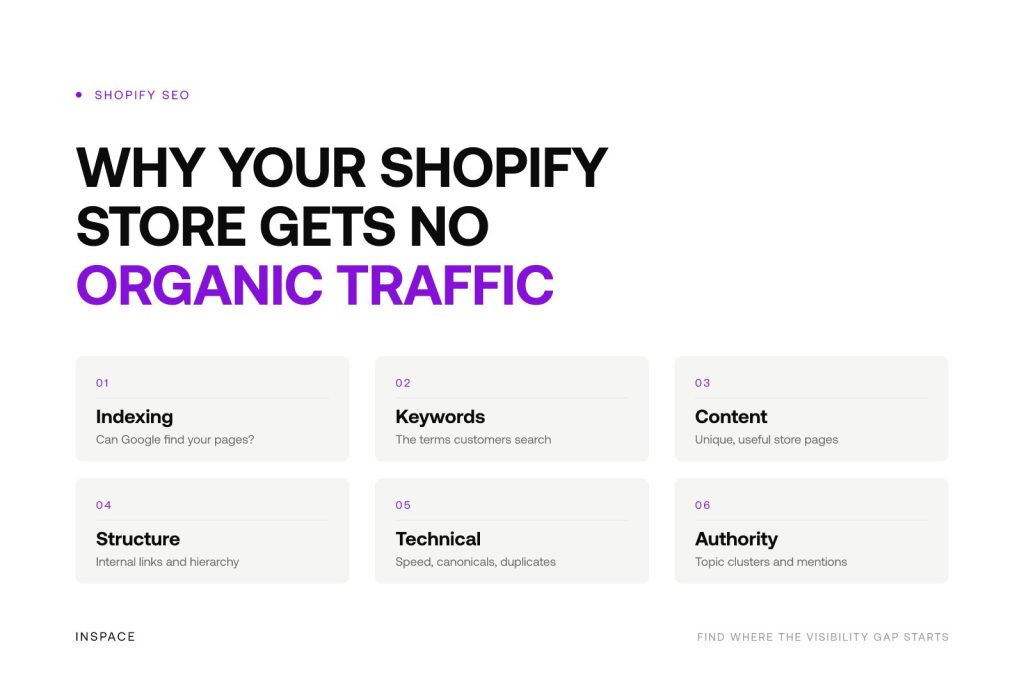
Launching a Shopify store does not automatically make it visible in Google. If organic traffic is flat, the issue is usually not Shopify itself. More often, Google cannot properly discover your pages, does not see enough relevance for the searches you want to rank for, or finds stronger alternatives elsewhere.
First, check whether Google can find your Shopify pages
A store cannot earn organic visits from pages that are not indexed. Before changing product copy or publishing more blog posts, check Google Search Console. Search for your brand name and use the URL Inspection tool on key collection pages, product pages and articles.
If important URLs are missing from Google’s index, common causes include:
- Pages are blocked by a noindex tag, robots directive or incorrect canonical tag.
- Your XML sitemap has not been submitted or does not include the relevant pages.
- Collection or product pages have little unique value, so Google chooses not to index them.
- Important pages have few or no internal links pointing to them.
- Recently launched pages have not yet been crawled or discovered.
Shopify handles several SEO fundamentals out of the box, but that does not guarantee that every page is indexable or worth indexing. A Search Console review tells you whether you have a visibility problem or an indexing problem. Those require different fixes.
Your pages may target keywords customers do not search for
Many Shopify stores optimise category and product pages around internal product names, supplier terminology or broad phrases with intense competition. Customers may search in completely different language, often using specific needs, materials, sizes, use cases or comparison terms.
For example, a collection page called “Premium collection” gives Google almost no context. A page built around a clear category and buyer need is easier for search engines and shoppers to understand.
Match the page to the search intent
Every important page should have a clear job. Collection pages usually target category searches, product pages target specific product and model searches, while guides answer research questions that occur before a purchase. When one page tries to rank for every variation, it often fails to rank strongly for any of them.
- Collection pages: category-level searches with commercial intent.
- Product pages: specific products, variants and detailed buying searches.
- Editorial content: questions, comparisons, maintenance advice and use-case searches.
Start with realistic long-tail opportunities rather than only pursuing the largest, most competitive keywords. Specific searches can have lower volume, but they often show clearer intent and are more achievable for a growing ecommerce domain.
Thin or duplicated ecommerce content limits relevance
Shopify stores often contain pages that look useful to customers but offer too little original information for search engines. This is especially common when product descriptions come from manufacturers, collections only show product grids, or variant pages differ only by colour or size.
Google needs enough context to understand what a page sells, who it is for and why it deserves to appear above competing pages. That does not mean adding copy for the sake of length. It means answering the questions that matter before a customer buys.
Make commercial pages genuinely useful
Improve your priority collection and product pages with relevant, unique information. Depending on the product, this can include selection guidance, specifications, compatibility, practical use cases, sizing or dimensions, care instructions and concise answers to buying objections.
Keep the page easy to shop. Strong ecommerce SEO supports conversion: clear category copy, helpful product information, logical filters and prominent routes to the right products can work together.
Your site structure may hide your most important pages
Internal links in your webshop help Google discover pages and understand which ones matter most. If a key collection is only reachable through multiple menus, filters or search results, it may receive too little internal authority. The same applies to useful articles that never link to relevant categories or products.
Create a simple hierarchy from the homepage to main collections, subcollections and products. Add contextual internal links where they genuinely help the shopper. For example, a guide about choosing a product type can link to the relevant collection, while a high-performing collection can link to complementary subcategories.
Be careful with faceted navigation. Filter and sort URLs can create many near-duplicate pages. If they are crawlable without a strategy, search engines may spend attention on low-value URLs instead of your core category pages.
Technical SEO issues can prevent growth
Shopify is a capable ecommerce platform, but themes, apps, tracking scripts and structural decisions can still create technical friction. These issues may not always remove a store from Google, but they can reduce crawling efficiency, user experience and ranking potential.
Prioritise technical SEO for e-commerce checks that affect important pages:
- Slow loading caused by oversized images, heavy apps or unnecessary scripts.
- Poor mobile usability, especially on collection pages and product templates.
- Broken links, redirect chains and pages returning errors.
- Incorrect canonicals on product, collection or paginated URLs.
- Missing or inconsistent titles, meta descriptions, structured data and breadcrumbs.
- Duplicate paths created by collections, tags, filters or product variants.
Use Search Console for crawl and indexing reports, then test key templates on mobile. Focus on issues that affect revenue-driving categories and products before spending time on minor warnings.
You have not built enough topical authority
A new or lightly optimised store can struggle even when its product pages are technically sound. Google compares your pages with established retailers, publishers and brands that have built relevant content, internal linking and external mentions over time.
Authority grows when your store consistently covers the topics surrounding its category. Instead of publishing disconnected articles, build topic clusters around customer decisions. A category page can be supported by buying guides, comparison content, how-to articles and problem-solving resources that link naturally to the relevant commercial pages.
External links can help too, but relevance matters more than volume. Earn mentions through useful resources, partnerships, digital PR or contributions to credible websites in your market. Avoid low-quality link schemes that create risk without improving your visibility.
Organic SEO may simply need more time and consistency
If your Shopify store is new, it may take time for Google to crawl your pages, assess their quality and compare them with competitors. Publishing a few pages and waiting is rarely enough, particularly in competitive ecommerce categories.
Track progress beyond organic sessions. In Search Console, monitor impressions, average position, clicks and the search terms triggering your pages. Rising impressions can show that Google is beginning to test your content, even before traffic becomes meaningful.
| What you see | Likely issue | First action |
|---|---|---|
| No impressions for important pages | Indexing, discovery or severe relevance problem | Inspect URLs, sitemap, canonicals and internal links |
| Impressions but few clicks | Low rankings or unconvincing search snippets | Improve intent match, titles and page value |
| Rankings stuck beyond page one | Competition, weak content or low authority | Strengthen the page and supporting topic cluster |
| Traffic declines after a redesign or app change | Technical SEO or URL changes | Check redirects, crawl reports and template settings |
A practical Shopify SEO priority order
The fastest way forward is to diagnose where the visibility gap starts: indexing, keyword targeting, page quality, technical setup, internal linking or authority. Once you know which signal is missing, you can focus your e-commerce SEO strategy where it has the greatest impact.
Trying to fix everything at once leads to scattered work. Start with the foundations, then expand what already shows potential.
- Confirm that priority collection, product and content pages are indexed.
- Map valuable keywords and search intent to the right page types.
- Improve your most commercially important collections and products.
- Fix technical issues affecting crawlability, duplication, speed and mobile use.
- Build internal links and supporting content around priority categories.
- Monitor Search Console data and improve pages based on real search queries.
For stores with many products, markets or collections, this process can become difficult to manage manually. InSpace’s NOVA platform supports Shopify SEO through strategy, keyword and topic clustering, scalable content creation, technical optimisation, direct publishing and ongoing monitoring. It can also support metadata, schema and internal linking as content is published.
If you need clarity on what is holding your store back, an SEO audit or growth session can help identify the highest-priority opportunities before you invest in more content or paid traffic. Get Shopify SEO expertise to build your organic advantage.
Frequently asked questions
Why is my Shopify store not appearing on Google?
Your store may not be indexed, or Google may not consider its pages sufficiently relevant for the searches you expect. Check Google Search Console first to confirm that your homepage, collections and products are indexed. Then review whether those pages target real customer searches and provide original, useful information.
Does Shopify work for SEO?
Yes. Shopify provides a solid foundation for ecommerce SEO, including editable page elements, sitemaps and responsive storefronts. Results still depend on strategy, page quality, technical configuration, site architecture and ongoing optimisation. Shopify is the platform, not the SEO strategy.
How long does Shopify SEO take to generate traffic?
There is no fixed timeline. New stores and competitive categories usually need sustained work before rankings grow. Improvements in indexing and impressions may appear earlier, while meaningful traffic typically requires consistent optimisation, content and authority building over time.
Should I optimise product pages or collection pages first?
Start with the pages closest to your highest-value search demand. In many ecommerce stores, collection pages are the best first priority because they target broader category searches and link shoppers to multiple products. Product pages become especially important for branded, specific or high-intent searches.
 We're always on comms.